
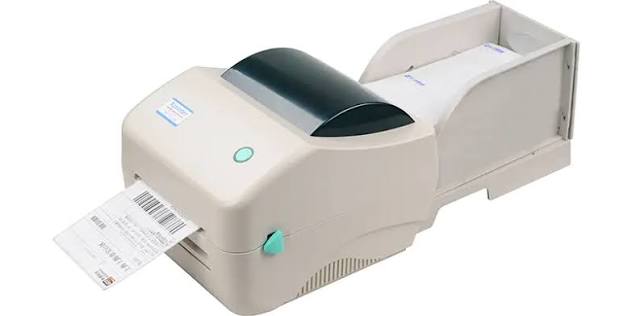
Shipping labels need to remain clear, accurate, and easy to scan throughout the delivery process. A poorly printed address or barcode can lead to scanning errors, delays, or packages being routed incorrectly.
An Xprinter barcode printer can be used as part of a shipping-label workflow when its supported media, print width, and printing method match the labels you need. The printer handles the physical label production, while shipping software typically provides the address, tracking number, barcode, and other shipment details.
What Does a Shipping Label Contain?
A shipping label normally combines human-readable information with machine-readable data. The exact layout depends on the carrier, shipping service, and software generating the label.
Common information includes:
- Sender and recipient addresses
- Tracking number
- Shipping barcode
- Order or reference number
- Service type
- Package information
- Carrier details
The barcode needs to remain sharp and complete because automated systems rely on it to identify and process the package.
Why Use a Barcode Printer for Shipping Labels?
Shipping operations often involve printing the same type of label repeatedly. A dedicated label printer works with rolls of label media and focuses on producing compact labels rather than standard sheets of paper.
This setup can reduce the need to cut individual labels from printed sheets. It also makes it easier to produce labels directly from shipping or order-management software.
The most suitable printer depends on the label dimensions, printing volume, connection method, and media requirements.
Choose the Right Shipping Label Size
Label size remains one of the first specifications to check. The printer must support the width and length of the shipping labels generated by your shipping platform.
A label that is too small may force the address or barcode into a cramped layout. A label that is unnecessarily large may waste media and require more packaging space.
Check the printer’s maximum print width against the dimensions required by your shipping provider.
Direct Thermal vs. Thermal Transfer
Shipping labels often use direct thermal printing because the process does not require a traditional ink cartridge or toner.
Direct thermal media contains a heat-sensitive coating that reacts to the printer’s heated print head. The resulting label works well for many shipping applications where the label only needs to remain readable during transportation.
Thermal transfer printing uses a ribbon to transfer ink onto the label. It can provide a better fit for applications where greater resistance to environmental conditions matters.
The appropriate method depends on the printer model, label material, and expected use.
Check Barcode Print Quality
A shipping barcode needs to scan reliably, not simply look acceptable.
Several factors affect barcode readability:
- Print darkness
- Print resolution
- Barcode size
- Contrast
- Label quality
- Correct barcode placement
Avoid shrinking a barcode too much to make it fit a small label. Leave sufficient clear space around it and keep it away from folds, seams, and damaged areas.
Prepare the Shipping Label in Software
The printer itself generally does not create the shipment information. Your shipping platform, carrier software, e-commerce system, or label-design application usually generates the label.
The software sends the completed label to the printer, which reproduces the design on the loaded media.
Before printing, confirm that the software uses the same label dimensions configured in the printer settings.
Connect the Printer to Your Shipping System
Depending on the model, a barcode printer may connect through USB, Ethernet, Wi-Fi, or Bluetooth.
USB can suit a single workstation located near the printer. Ethernet may work better in a warehouse or office where multiple computers need network access.
Wireless connections can provide additional flexibility, but the choice should depend on the devices and network available in your shipping area.
Also, see Common Uses of Thermal Receipt Printers Across Industries
Print a Test Shipping Label
Always print one test label before producing a large batch.
Check that the recipient address sits inside the printable area and that the tracking number appears correctly. Inspect the barcode for missing lines, distortion, or fading.
The best test involves scanning the barcode with the equipment used during your normal shipping process. This confirms that the printed result works in practice.
Common Shipping Label Problems
Barcode Will Not Scan
Check the barcode size, print quality, contrast, and surrounding clear space. Also make sure the correct barcode data reached the printer.
Address Gets Cut Off
Review the label dimensions, page orientation, margins, and scaling settings in your shipping software and printer driver.
Labels Feed Incorrectly
Check that the label roll sits straight and follows the correct media path. Incorrect calibration can also cause the printer to position content between labels.
Labels Come Out Faded
Review the print darkness and speed settings. Check the media and inspect the print head for dirt or residue according to the manufacturer’s maintenance instructions.
How to Organize High-Volume Shipping
Businesses that print many labels should create a consistent workflow. Keep compatible label rolls ready, use a tested label template, and verify printer settings before starting a large batch.
It also helps to print labels in manageable groups rather than sending an extremely large job without checking the first few results.
Regular maintenance can reduce problems caused by dust, adhesive residue, or worn components.
Consider the Shipping Environment
The label’s job does not end when it leaves the printer. It may encounter handling, moisture, sunlight, friction, or temperature changes during transportation.
Choose label media that suits the expected conditions. A standard paper label may work for many routine shipments, while certain environments may require more durable media.
The adhesive also needs to remain secure on the package surface.
Final Thoughts
A barcode printer can fit into a shipping workflow when its print width, media type, connection options, and printing technology match the requirements of your shipping labels.
Focus on compatibility rather than printer speed alone. Use the correct label size, configure the software carefully, test the barcode with a scanner, and maintain the printer properly. These steps help keep shipping labels clear and usable from the packing station to their final destination.