Receipt printers play an important role in businesses that handle daily transactions, process customer orders, and generate payment records. Among the most commonly used technologies are thermal and dot matrix printing. Although both produce printed receipts, they use different mechanisms, require different consumables, and perform differently across various working environments.
Understanding these differences helps businesses choose equipment that matches their operational requirements. When comparing a Receipt Printer, factors such as printing speed, output quality, maintenance, operating costs, and environmental conditions should all be considered. Thermal printers are widely used for fast point-of-sale transactions, while dot matrix models remain useful in applications that require multipart printing and durable document handling.
1. How Thermal Receipt Printers Work
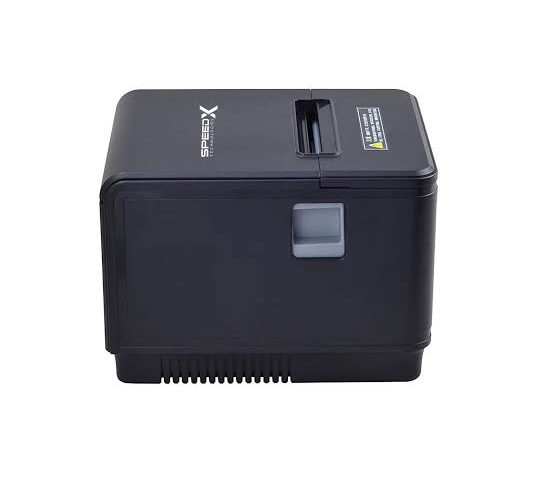
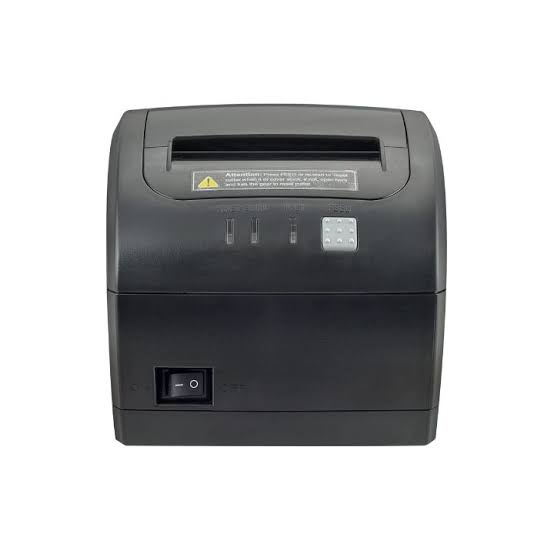
Thermal receipt printers use heat to create text, numbers, and graphics on specially coated thermal paper. Their print heads contain heating elements that activate the coating as the paper moves through the device.
This process eliminates the need for traditional ink cartridges or ribbons. The printer controls which areas of the paper receive heat, forming the required characters and images.
Main Features of Thermal Printers
- Ink-free printing: Thermal models use specially coated paper instead of conventional ink or toner.
- Fast output: They can produce receipts quickly, supporting busy checkout environments.
- Quiet operation: The printing mechanism generates relatively little noise.
- Compact construction: Many models are designed to fit into limited counter space.
- Simple paper replacement: Operators generally replace the paper roll when it runs out.
Thermal printers are particularly common in supermarkets, retail stores, cafés, restaurants, and other businesses that process frequent customer transactions.
2. How Dot Matrix Receipt Printers Work
Dot matrix receipt printers use an impact-based mechanism to create printed characters. A print head contains small pins that strike an ink ribbon against the paper. The pins form letters, numbers, and symbols through a pattern of dots.
Unlike thermal printing, this process does not depend on heat-sensitive paper. It can also support multipart forms, allowing multiple copies of a document to be produced during one printing operation.
Main Features of Dot Matrix Printers
- Impact printing: Small pins physically strike an ink ribbon to create characters.
- Ribbon-based operation: Printing requires a compatible ink ribbon.
- Multipart document support: Certain models can print through multiple layers of paper.
- Mechanical durability: The technology can be suitable for demanding environments.
- Audible operation: The impact mechanism generally produces more noise than thermal printing.
Dot matrix printers are often used in commercial kitchens, warehouses, industrial facilities, and other settings where multipart documents or specialized paper formats are required.
3. Key Differences Between Thermal and Dot Matrix Receipt Printers
Although both technologies serve transaction and documentation needs, their operating methods create several important differences.
| Comparison Factor | Thermal Receipt Printer | Dot Matrix Receipt Printer |
|---|---|---|
| Printing method | Uses heat to activate coated paper | Uses pins to strike an ink ribbon |
| Consumables | Thermal paper | Paper and ink ribbon |
| Printing speed | Generally faster | Generally slower |
| Noise level | Relatively quiet | Noticeably louder |
| Print quality | Clear text and graphics on suitable paper | Dot-based characters and graphics |
| Maintenance | Usually requires less routine maintenance | Requires ribbon replacement and mechanical care |
| Paper options | Requires compatible thermal paper | Can support different paper types, including multipart forms |
| Multiple copies | Not typically supported through standard single-roll printing | Can support multipart printing |
| Common applications | Retail, hospitality, and POS systems | Kitchens, industrial operations, and duplicate records |
The exact performance of each printer depends on its model, specifications, and operating conditions.
4. Printing Speed and Operational Efficiency
Printing speed is an important consideration for businesses that process many transactions throughout the day.
Thermal Printer Performance
Thermal printers are generally designed for rapid receipt production. Their direct printing process does not require a print head to strike an ink ribbon repeatedly, allowing them to produce receipts quickly and quietly.
This makes them suitable for high-volume checkout counters where customers expect short waiting times.
Dot Matrix Printer Performance
Dot matrix printers typically operate more slowly because their print heads create characters through repeated physical impacts. Printing speed can also depend on the complexity of the document and the number of copies being produced.
Although this may be less suitable for fast customer-facing transactions, the ability to produce multipart documents can make dot matrix printing valuable in specialized workflows.
5. Print Quality and Readability
Both technologies can produce readable transaction records, but their output characteristics differ.
Thermal printers generally produce sharp text and consistent graphics when used with suitable paper and appropriate print settings. Their output is useful for receipts containing product names, prices, payment details, barcodes, and business information.
Dot matrix printers create characters using patterns of small dots. Their output may appear less refined than thermal printing, especially when detailed graphics or compact text are required. However, they can be adequate for order slips, internal records, and other documents where functional readability is more important than visual presentation.
Businesses should evaluate the type of information printed and the level of detail required before choosing a technology.
6. Consumables and Operating Costs
The cost of running a receipt printer includes more than the initial equipment price. Paper, ribbons, replacement components, and maintenance all contribute to long-term expenses.
Thermal Printer Costs
Thermal printers do not require ink cartridges or ribbons, which simplifies consumable management. Businesses mainly need to purchase compatible thermal paper rolls.
However, thermal paper can cost more than some standard paper options, depending on size, quality, and purchasing volume. Print heads and other components may also require replacement over time.
Dot Matrix Printer Costs
Dot matrix printers require ink ribbons in addition to paper. Ribbon replacement adds another recurring expense, although standard paper options may be suitable for certain applications.
Their mechanical components also need appropriate maintenance. Businesses should compare the cost and availability of replacement ribbons, print-head components, and servicing before making a purchase.
7. Maintenance Requirements and Reliability
Maintenance affects how consistently a printer performs during daily operations.
Thermal printers generally have fewer consumable components because they do not use ink ribbons. Regular care mainly involves removing paper dust, cleaning the print head according to manufacturer instructions, and keeping the paper path clear.
Dot matrix printers require additional attention to the ribbon, print head, and mechanical parts. Operators may need to replace worn ribbons and check for issues affecting pin movement or paper feeding.
Neither technology is automatically suitable for every working condition. Reliability depends on construction quality, proper installation, compatible supplies, and regular maintenance.
8. Paper Compatibility and Document Requirements
Paper compatibility is one of the most significant differences between the two technologies.
Thermal printers require specially coated paper that reacts to heat. Businesses must use rolls that match the printer’s supported width, diameter, and other specifications. The resulting receipts may become less readable over time if exposed to excessive heat, direct sunlight, or certain chemicals.
Dot matrix printers can use conventional paper and, where supported, multipart forms. This makes them useful when businesses need to create several copies of a transaction record at once.
For example, a restaurant may need one copy of an order for the kitchen and another for internal records. A suitable dot matrix printer can handle this requirement without requiring separate printing operations.
9. Noise Levels and Workplace Environment
The noise generated by a printer may influence its suitability for a particular workspace.
Thermal printers operate relatively quietly because they use a heating mechanism rather than repeated physical impacts. This makes them suitable for customer-facing counters, small shops, pharmacies, and reception areas where a quieter environment is preferred.
Dot matrix printers produce more mechanical noise during operation. While this may be less desirable at a customer checkout counter, it may be acceptable in kitchens, stockrooms, warehouses, and industrial work areas.
Businesses should consider where the equipment will be installed and whether printing noise could interfere with employees or customers.
10. Which Printer Is Better for Different Industries?
The best choice depends on the type of documents a business produces and how its employees use them.
Retail Stores and Supermarkets
Thermal printers are generally a practical choice for retail environments. They can produce sales receipts quickly, support barcode printing on compatible models, and operate quietly during busy checkout periods.
Restaurants and Cafés
Both technologies can serve different restaurant functions. Thermal printers are commonly used for customer bills and payment receipts, while impact printers may be useful for kitchen order slips, particularly where multipart forms or specialized paper are required.
Warehouses and Industrial Facilities
Dot matrix printers may be suitable for industrial operations that require duplicate records, delivery documentation, or multipart forms. Thermal printers may still be appropriate for standard transaction receipts and labels, depending on the equipment and workflow.
Healthcare and Service Centers
Thermal printers are often used for payment receipts and service transaction records. Businesses that need multiple copies or specialized paper documentation may consider impact printing for those specific tasks.
11. Factors to Consider Before Making a Decision
Before purchasing either type of printer, businesses should evaluate their requirements carefully.
Transaction volume: High-volume checkout operations often benefit from the speed of thermal printing.
Document format: Businesses that require multipart forms should check whether an impact printer is more appropriate.
Operating environment: Noise, temperature, dust, and available workspace can influence equipment suitability.
Consumable availability: Confirm that compatible paper rolls or ink ribbons are readily available.
Software compatibility: Check that the printer supports the business’s POS software, operating system, and required connection interfaces.
Long-term costs: Compare equipment prices, consumables, maintenance, and replacement-part expenses rather than focusing only on the initial purchase price.
These considerations help businesses avoid selecting equipment that performs well technically but does not match their actual workflow.
Conclusion
Thermal and dot matrix receipt printers serve different business requirements. Thermal models are generally preferred for modern point-of-sale operations because they offer fast, quiet printing and straightforward consumable management. Dot matrix printers remain useful when businesses need multipart documents, conventional paper options, or specialized impact-based printing.
The right choice depends on transaction volume, document requirements, workplace conditions, maintenance expectations, and total operating costs. By comparing these factors, businesses can select a printing technology that supports efficient transactions and reliable daily operations.