Choosing POS equipment is an important decision for businesses that rely on fast, accurate transactions. While price and brand reputation often receive attention, the range of hardware a supplier offers can be just as important. A broad product selection gives businesses more flexibility when building or upgrading a point-of-sale system.
A POS Hardware Supplier with a suitable product range can provide different types of equipment for various operational requirements. Instead of selecting individual devices without considering how they work together, businesses can evaluate the supplier’s overall range and determine whether it can support their current and future needs.
Start With Your Hardware Requirements
Before comparing suppliers, identify the equipment your business actually requires. A convenience store, clothing retailer, restaurant, and service business may all use POS systems differently.
Consider whether you need:
- POS terminals and touchscreen displays
- Barcode scanners
- Receipt printers
- Cash drawers
- Customer displays
- Payment terminals
- Handheld POS devices
- Kitchen printers or display systems
Creating a basic equipment list makes it easier to compare suppliers on relevant products rather than simply counting how many items they sell.
Look at the Breadth of the Product Range
A supplier’s product range should cover the essential hardware required for your particular type of business. A supplier with only a limited selection may force you to purchase compatible components from several different sources.
A broader range can make system planning easier, particularly when multiple devices need to work together. It may also provide more options when replacing or expanding individual components later.
Evaluate Different Terminal Options
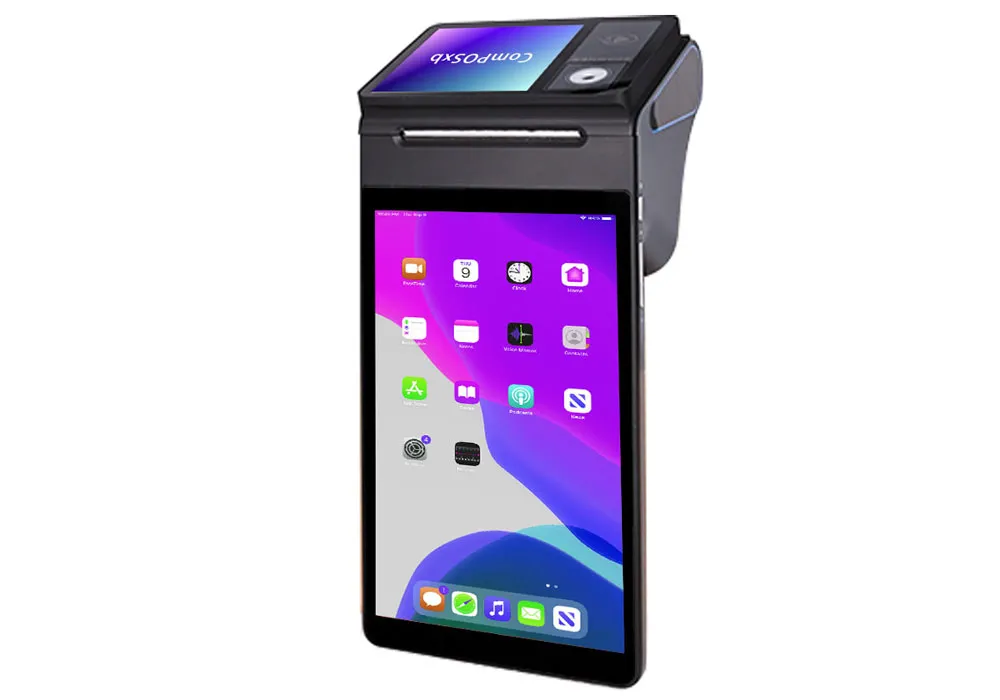
POS terminals are central to many systems, but businesses do not all need the same type. Fixed countertop terminals may be suitable for traditional retail checkouts, while compact or mobile devices can be more practical for businesses with limited space.
When comparing suppliers, examine available screen sizes, processing capabilities, operating systems, mounting options, and connectivity features. The goal is to find terminals that match the way employees and customers interact with the system.
Compare Peripheral Selection
Peripherals can have a major impact on the overall usefulness of a POS system. A supplier’s range should ideally include compatible scanners, printers, cash drawers, displays, and payment equipment.
Pay attention to connection standards and compatibility. Having several peripheral choices is useful, but those products must also integrate properly with the POS software and terminal being used.
Consider Industry-Specific Hardware
Some businesses require specialized POS equipment. Restaurants, for example, may need kitchen printers, customer displays, handheld ordering devices, or equipment designed for demanding service environments.
Retailers may place greater emphasis on barcode scanners, inventory-related peripherals, and high-speed receipt printers. Comparing suppliers based on industry-specific options can help businesses find a more suitable hardware configuration.
Assess Options for Different Business Sizes
Product variety is particularly valuable when a supplier serves businesses at different stages of growth. A small business may initially require only one checkout station, while an established operation could need multiple terminals and supporting peripherals.
Look for a product range that accommodates both basic and more advanced configurations. This can make it easier to expand the system without changing suppliers entirely.
Check Compatibility Across Products
A large product catalog does not automatically mean a supplier offers a better solution. Hardware should be compatible with the POS software and with other devices within the system.
Ask about supported platforms, connection types, operating systems, and integration requirements. Compatibility information should be clear before you make purchasing decisions.
Examine Replacement and Upgrade Options
POS hardware eventually reaches the end of its useful life. When comparing suppliers, consider whether they offer replacement models or newer versions of commonly used devices.
A supplier with a consistent range of compatible equipment may make future upgrades easier. Businesses can replace outdated components without necessarily redesigning the entire POS setup.
Compare Quality Alongside Variety
Product range should never be evaluated separately from product quality. A supplier may offer numerous devices, but businesses still need equipment that is reliable and appropriate for commercial use.
Review specifications, manufacturer information, warranty terms, and independent customer feedback where available. Durable hardware can help reduce disruptions and long-term replacement costs.
Consider Availability and Support
Having access to a wide selection is useful only if products can be supplied when they are needed. Ask about availability, lead times, replacement procedures, and technical support.
This is particularly important for businesses that depend on POS equipment every day. Delays in replacing a failed terminal or peripheral can affect normal operations.
Compare Suppliers Using a Consistent Checklist
After researching several suppliers, compare them using the same criteria. This makes it easier to identify strengths and weaknesses without allowing one attractive feature to dominate the decision.
Useful comparison factors include:
- Range of core POS equipment
- Availability of industry-specific hardware
- Compatibility with existing systems
- Product quality and durability
- Upgrade and replacement options
- Warranty coverage
- Technical support
- Overall cost and long-term value
Final Thoughts
Comparing POS hardware suppliers based on product range involves more than finding the company with the largest catalog. The most useful supplier is one whose selection matches your business requirements, integrates with your existing technology, and provides practical options for future changes.
By evaluating terminals, peripherals, specialized equipment, compatibility, quality, availability, and support together, businesses can choose POS hardware with greater confidence. A well-matched product range can make both the initial setup and future upgrades more straightforward.